
Helping heart failure patients and clinicians improve the heart function and self-care
Heart failure is a chronic condition where the heart struggles to pump effectively, causing fatigue, shortness of breath, and difficulty with everyday activities. Patients often need regular hospital check-ups, but many travel long distances and cannot monitor their health between visits, making sudden changes hard to detect.
Medly changes this by helping patients manage their condition more actively and be monitored 24/7. Each day, the app prompts patients to report symptoms, take their weight, and measure heart rate and blood pressure. The app's algorithm analyzes this data, alerting both patients and clinicians to any concerning changes. If necessary, patients receive guidance on actions like taking medication, calling their doctor, or seeking emergency care. Clinicians can also monitor the data and reach out if anything seems off.
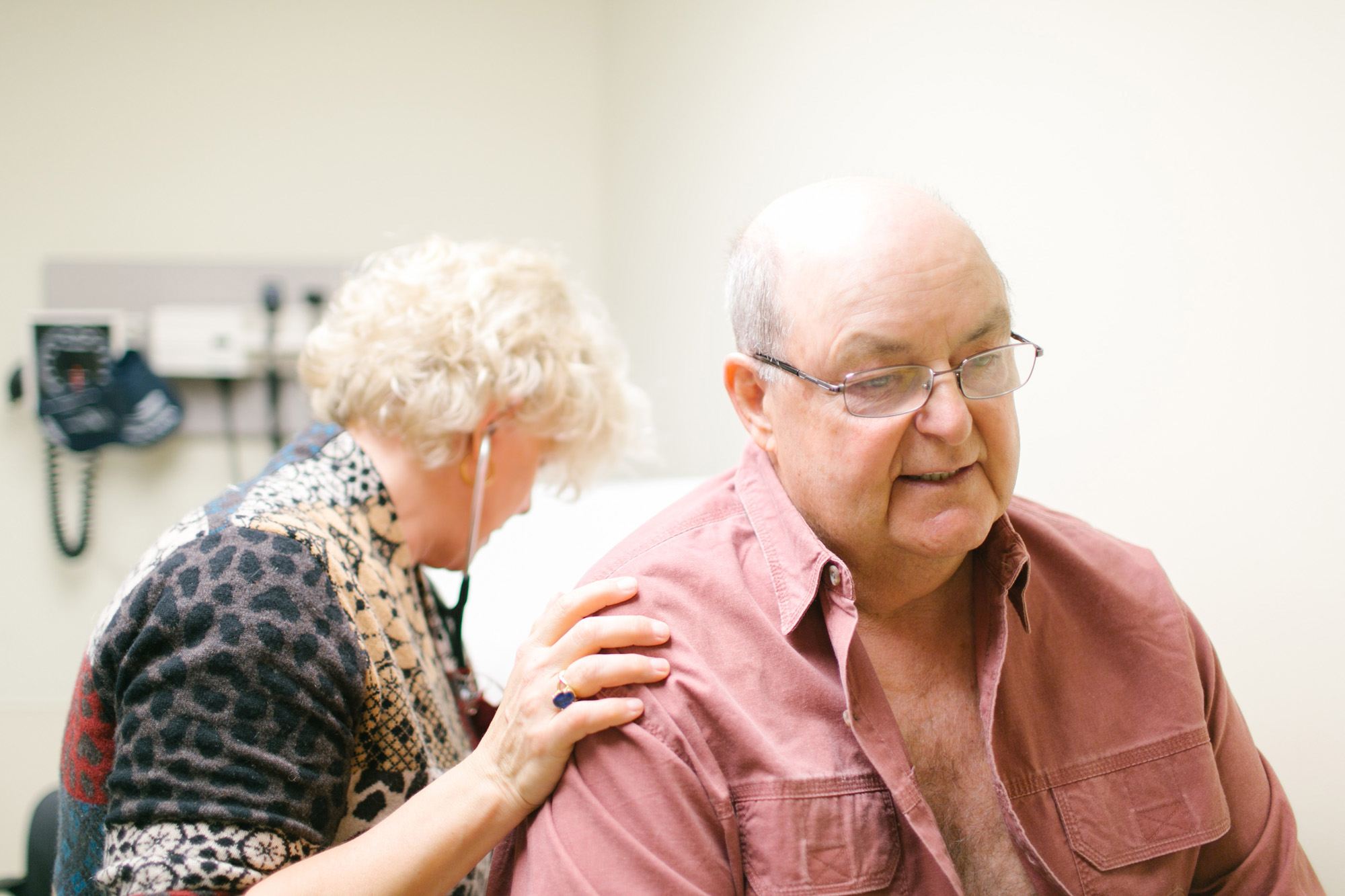
Project: Medly service, patient mobile app and clinician dashboard web-app redesign
Client: eHealth Innovation (University Health Network) (2017/2018)
Responsibilities: user research, strategy, Information Architecture (IA), interaction design, visual design (support), prototyping, usability testing, Quality Assurance QA)
Goal
Medly is an excellent product, but it needed refinement to scale effectively. My colleague and I took on a crucial role in evolving the platform.
Initially tasked with adding features to the iOS app and designing a new clinician dashboard, we quickly realized the scope needed to be broader. Our new objectives became:
Optimize the Medly apps for both iOS and Android.
Design a mobile-friendly clinician dashboard.
Enhance the service to be scalable.
We aimed to future-proof Medly by focusing on heart failure management, while designing the system to seamlessly adapt to other chronic conditions like kidney disease or diabetes. This also included making changes to handle tens of thousands of patients across multiple hospitals.
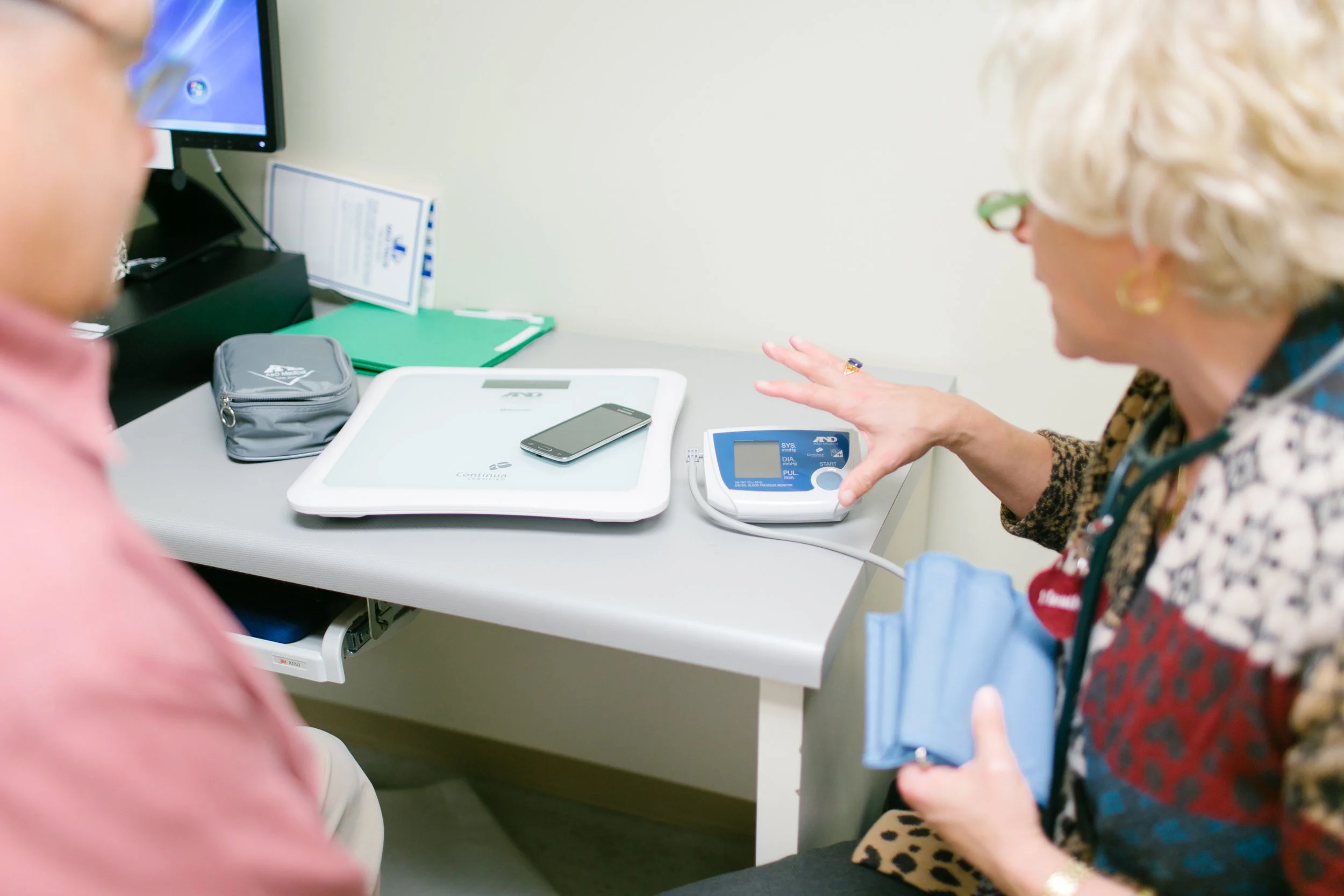
A patients gets onboarded to the Medly program and receives bluetooth enabled devices
Approach
When we started this project, my colleague and I were not familiar with Medly or heart failure. To get a good understanding of where our client’s requests and identified problems came from, we first had to dive into the context. We started off writing down all questions that came up in our heads. We interviewed Medly’s project manager, product owner and developers to ask about their goals, challenges, opportunities and vision. We also interviewed and shadowed cardiologists, nurse practitioners, a support person and patients currently using Medly to hear and see their thoughts.
After our initial discovery process we did a lot of brainstorming, wireframing and testing. We went through many iterations for both the patient facing app, as well as the clinician dashboard. Because we were embedded in the hospital where Medly was currently being used, we were lucky to have easy and frequent access to patients and clinicians. For the clinician dashboard we also interviewed and tested with clinicians from a different hospital who weren’t using Medly. This gave us insights in challenges and opportunities for scaling Medly to other hospitals.
Throughout this project we worked closely with developers and project managers. We wanted to make sure that whatever we came up with would be feasible from a technical and a business perspective. Sharing insights with them helped with getting their buy-in.
Insights
Patient facing app
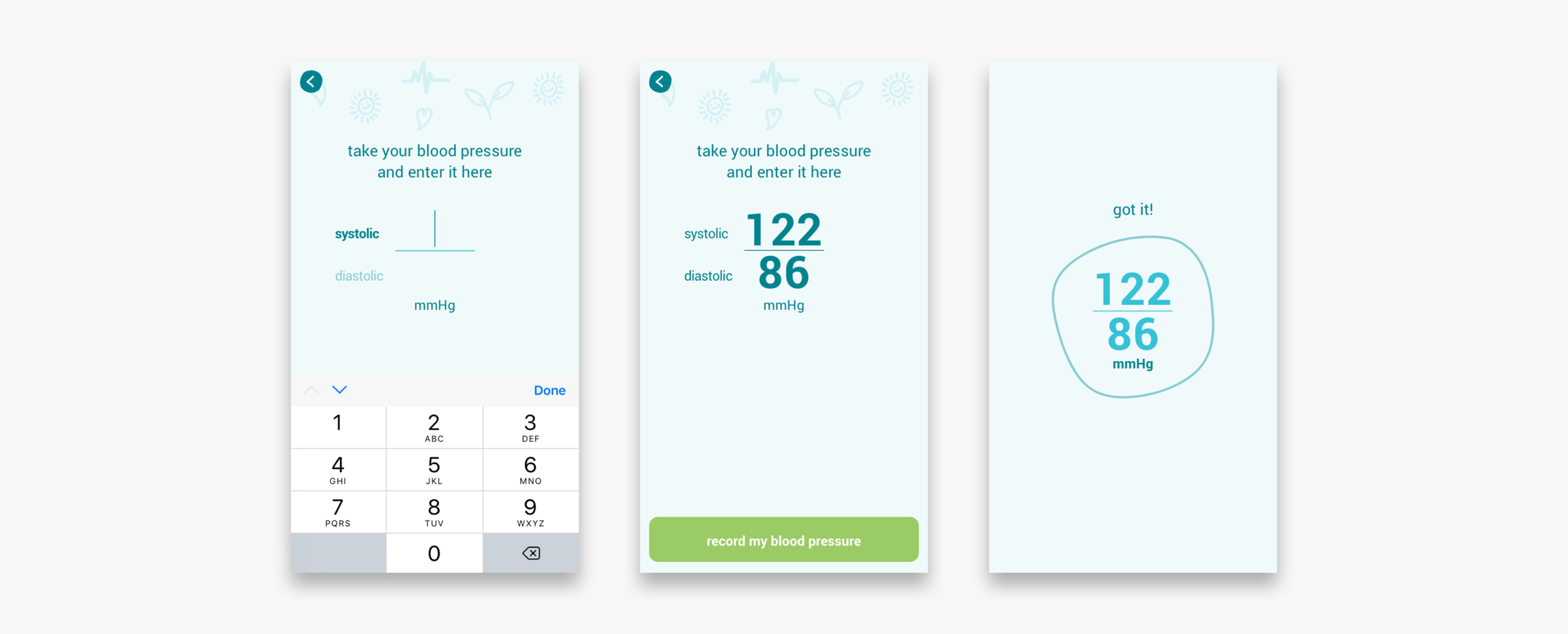
The existing app was solely designed for automatic data entry through bluetooth enabled devices. There is no way to manually enter readings, which could be problematic if the patient experiences any bluetooth related issues.
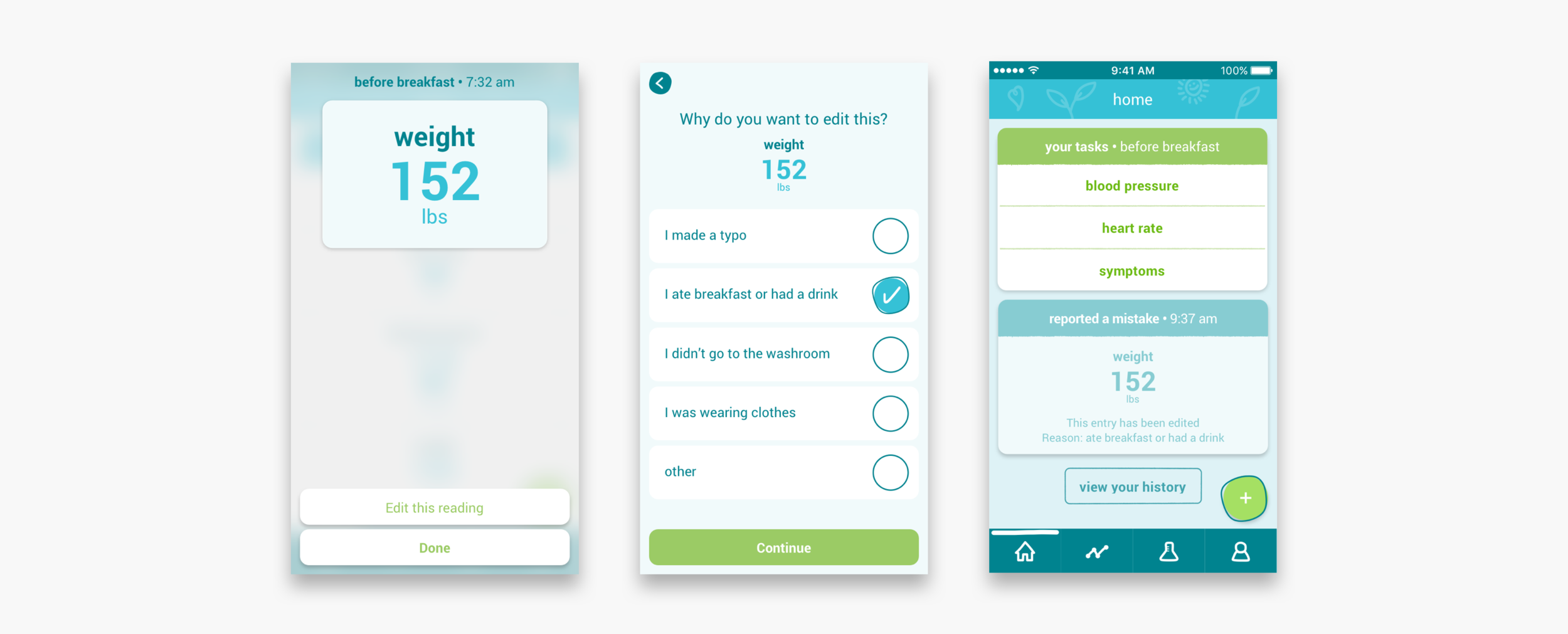
There was no way for patients to recover from faulty bluetooth readings. As a workaround they took readings multiple times. As a consequence clinicians had to interpret multiple readings and judge whether an alert was valid or not.
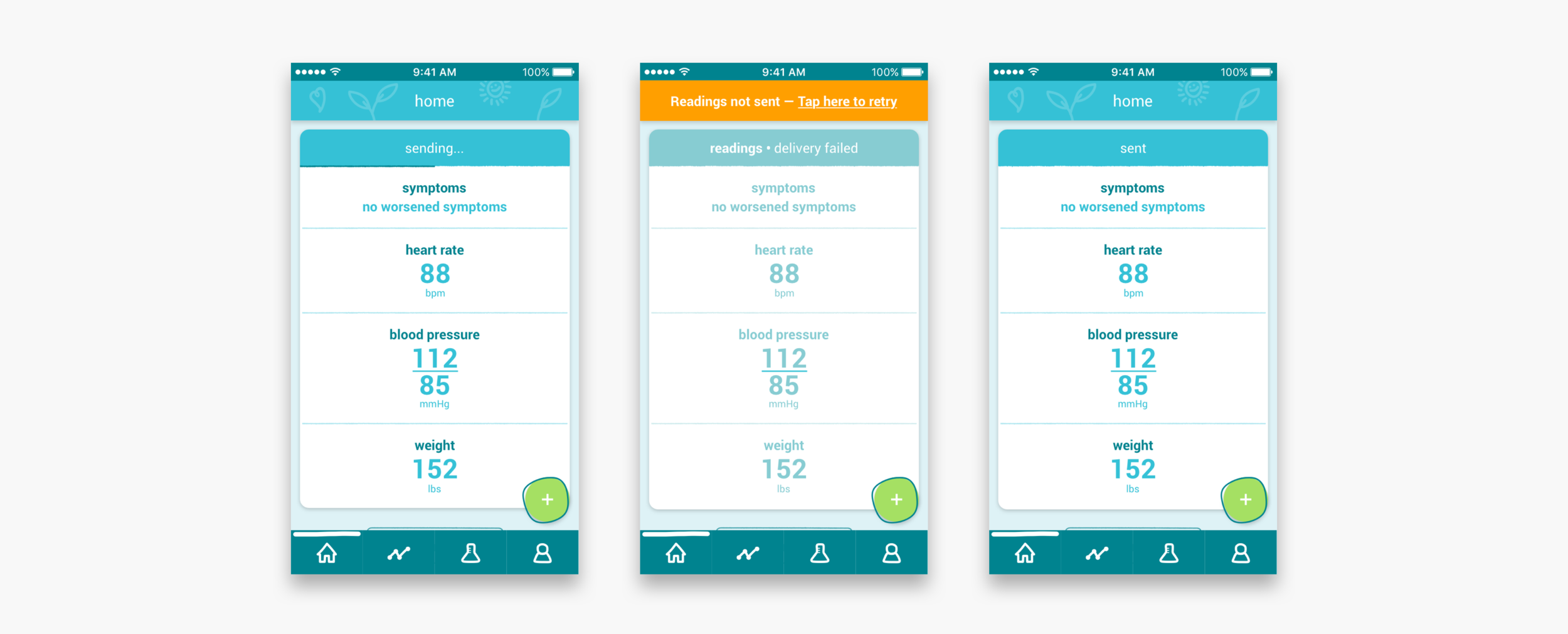
Readings didn’t always get sent to the clinic right away, but that wasn’t clear to the patient.
Patients didn’t always do or fully complete their readings and symptom questionnaire.
To use the app, patients relied heavily on the in-person onboarding done by support staff. For some patients the amount of information was overwhelming.
There was no way for patients to dismiss an alerts or to indicate that they followed-up on their alert or not. This meant that the clinician always had to call the patient to find out.
Historic readings in the app looked very similar to “today’s readings”, which was confusing.
Cards in the existing app didn’t accommodate for multiple chronic conditions.
Clinician facing dashboard web-app
Clinicians wanted a mobile friendly dashboard, because they didn’t always have access to a computer, especially on the weekends or while on the ward.
In the existing Medly decisions were often made based on email alerts. The problem was that these alerts could be outdated, but there was no way for clinicians to see if patients took additional readings.
Clinicians didn’t always know who they would get on the phone when calling a patient’s contact information.
Cleared alerts disappear after midnight and there was no way to read them again.
Patients who didn’t take their readings or who experienced technical issues went unnoticed.
Entering the patient’s medication into Medly wasn't mandatory. It was only mandatory to enter their medication in the EPR (Electronic Patient Record).
Setting up diuretic alerts for diuretics on weight gain was separate from the medication overview, but did get influenced by the diuretic baseline in the overview.
Clinicians weren’t able to see what their patients see on their app. This created confusion and could potentially be dangerous.
Overall service
The one-person support team was overly burdened with their core tasks: onboarding new patients, helping out clinicians with alert issues and dealing with technical issues on the patient side. This was with just one clinic with about 120 patients on Medly.
The clinicians relied heavily on the support staff for patient onboarding.
The support staff had to gather all types of information about the patient from various clinicians. They relied on the clinicians to fill out the onboarding slip correctly.
The onboarding slip for new patients was always filled out by the same nurse practitioner because other clinicians didn’t know how to do it.
Patients had the phone number of two different nurse practitioners (NPs), but they didn’t always know which NP was on call.
NPs received phone calls from patients about technical issues and Medly support staff received phone calls about medical questions.
If a clinician took time off, the support staff had to manually assign each of their patients to a different clinician.
results
A renewed patient facing app (left) and a mobile friendly, clinician facing dashboard web-app (right)
Patient facing app (Results)
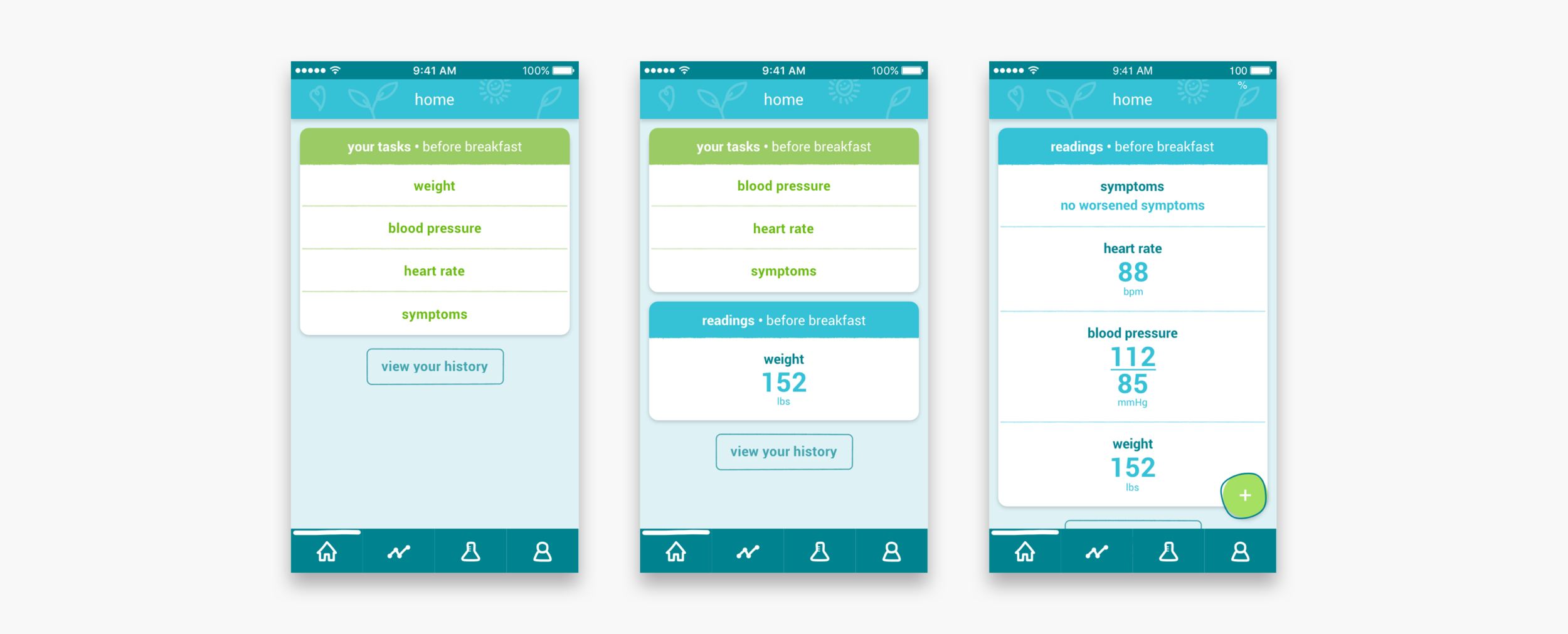
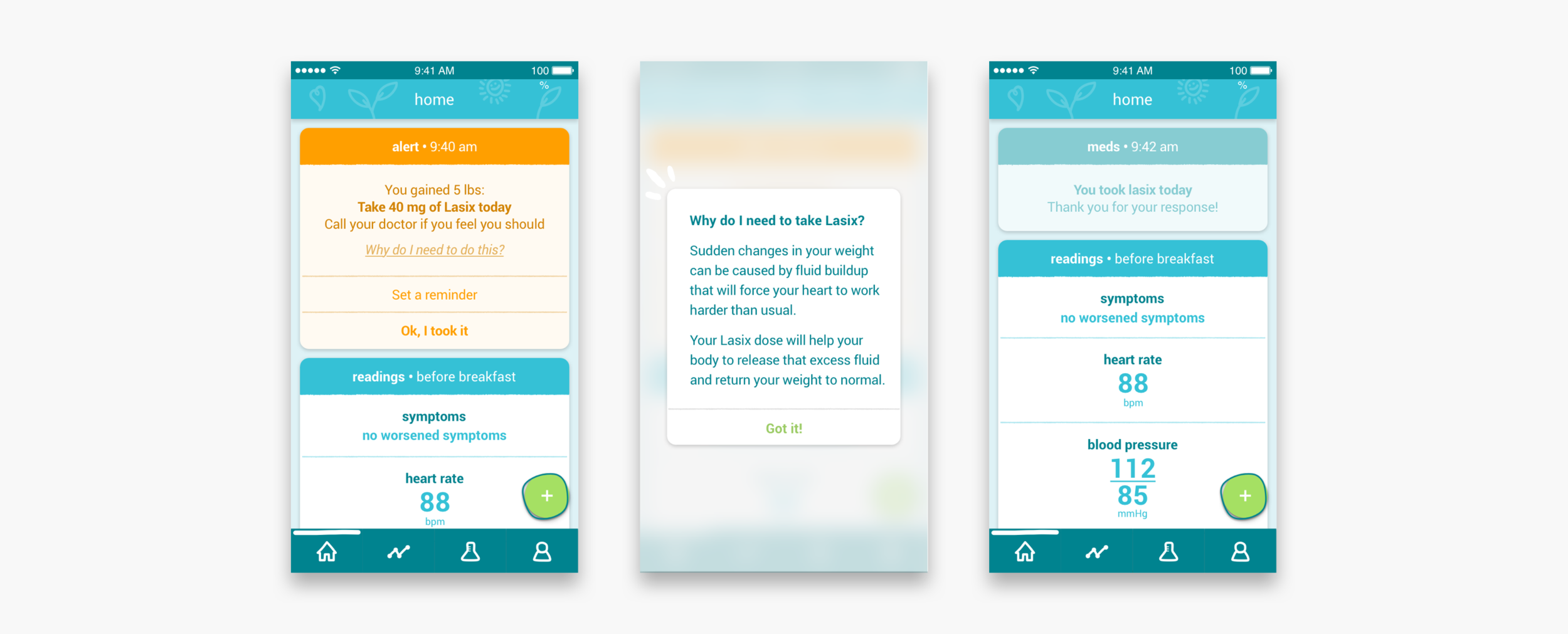
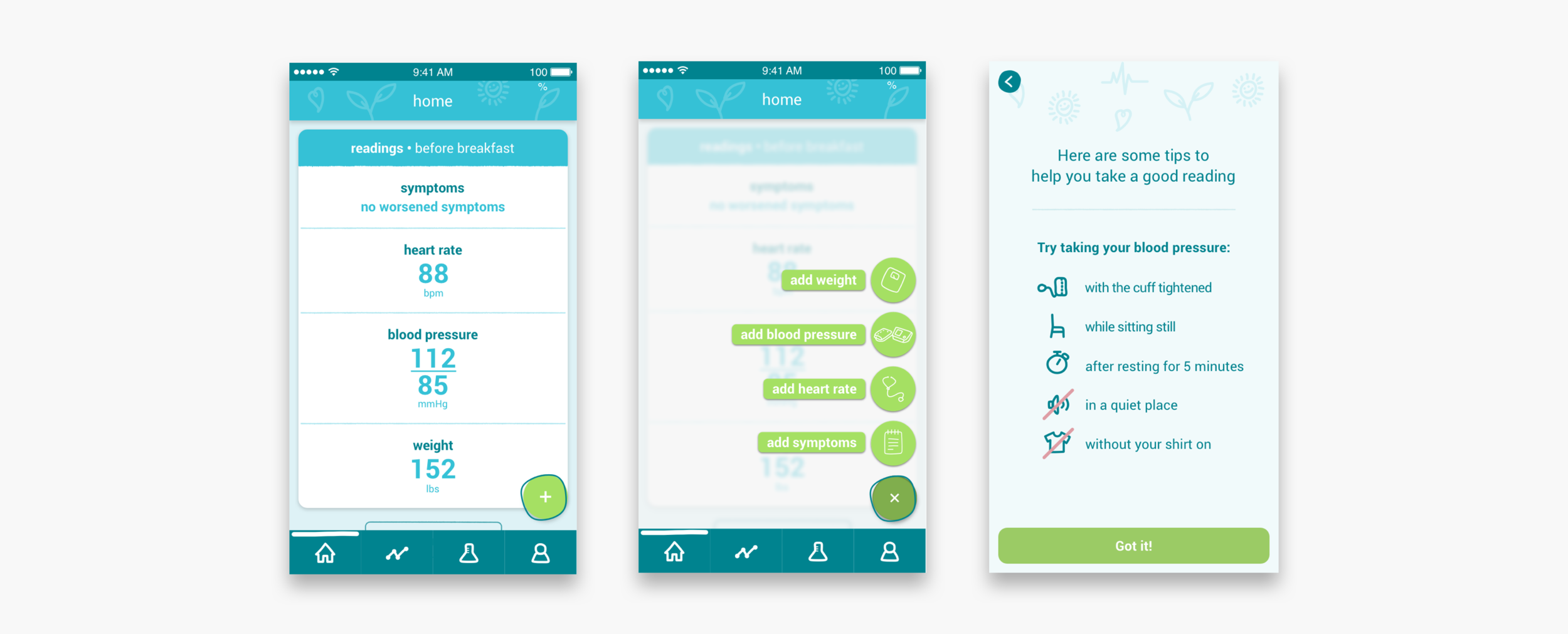
The patients enter their symptoms and their weight, blood pressure and heart rate readings into the app, on a daily basis. In return, an algorithm in the app gives them feedback on what these readings mean for their health. If there are out of range readings and concerning symptoms, the algorithm will alert the patient and tell them what to do about this. On the clinician dashboard, nurse practitioners and clinicians also receive these alerts.
Taking morning readings and dealing with alerts
Taking additional readings
Resending readings and reporting mistakes
Clinician facing dashboard web-app (Results)
In collaboration with several cardiologists and nurse practitioners we designed a mobile first responsive web-app.
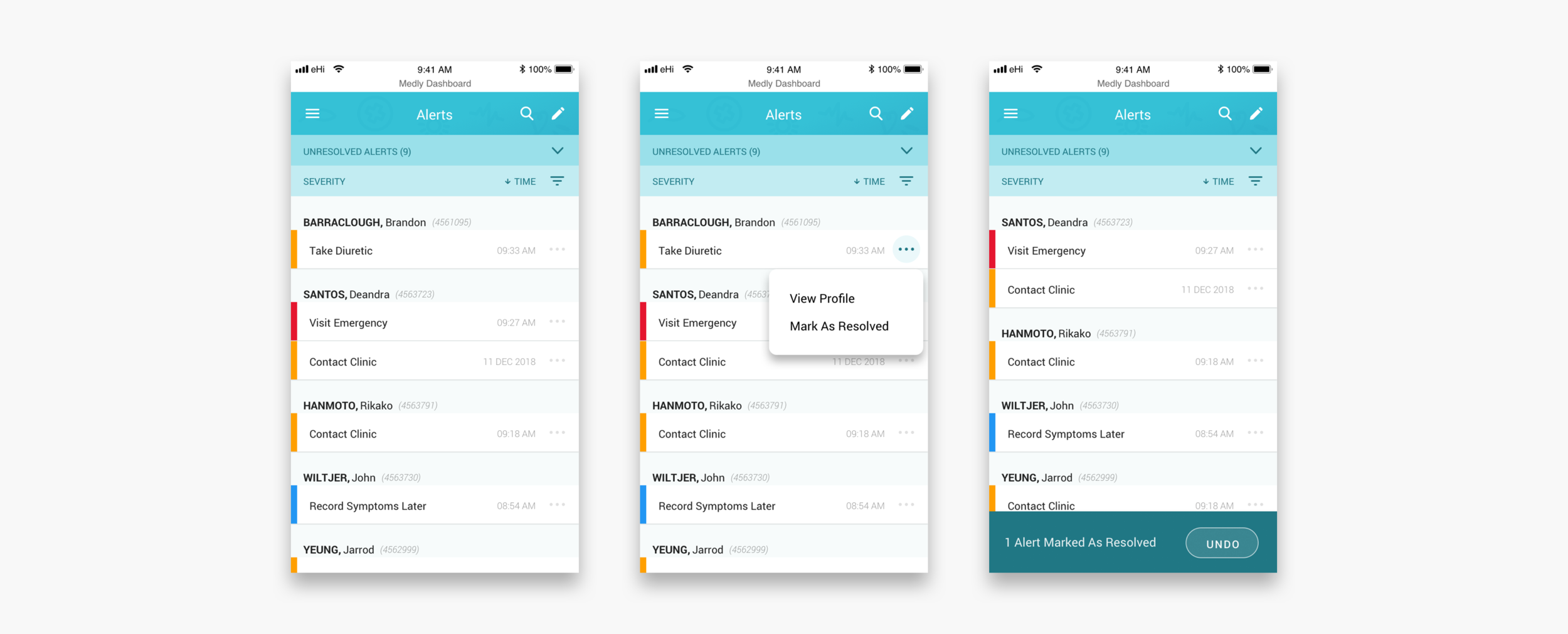
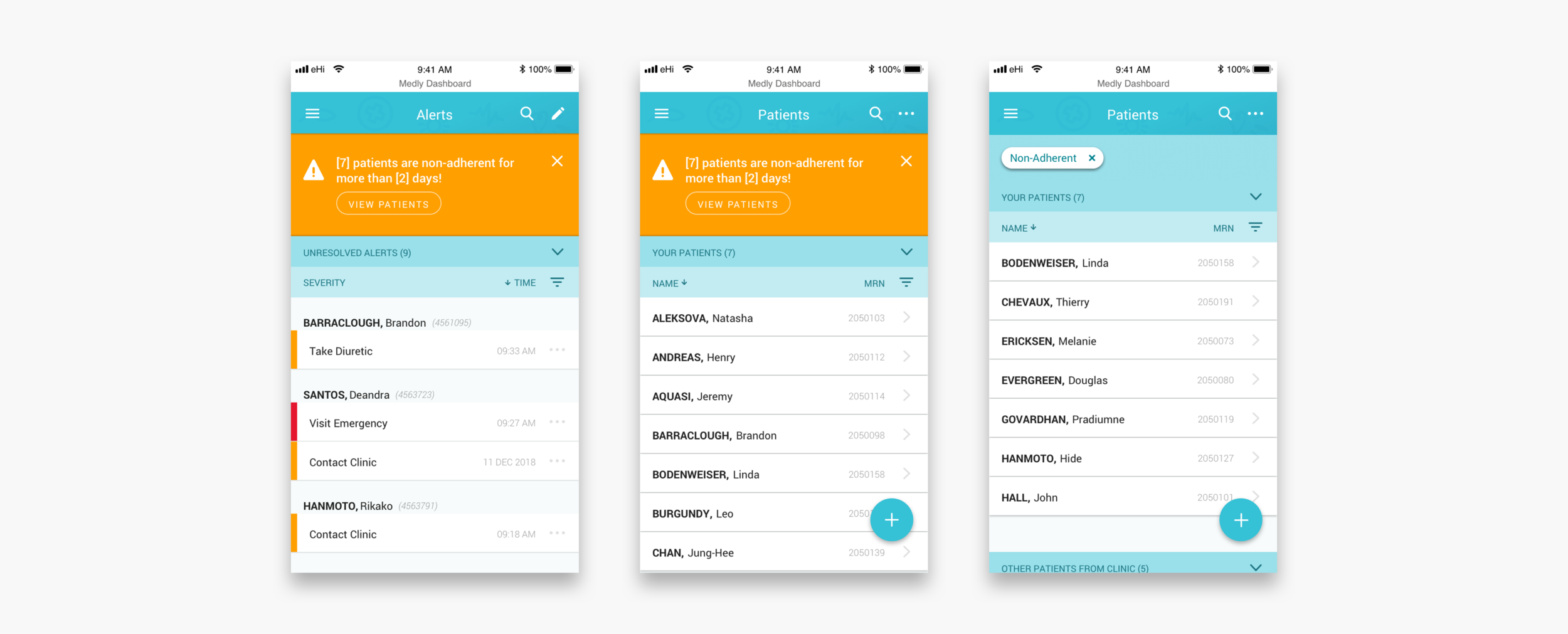
Triaging alerts
Every morning clinicians log in to dashboard. They see what patients in their care team have alerted, what type of alert they triggered and when. Clinicians can decide to resolve one or multiple alerts straight from the overview, or to dig in deeper to see what caused an alert and maybe contact the patient. The alerts overview and the patients overview will also make clinicians aware of patients who have not been active for a couple of days.
Desktop view of the alerts overview
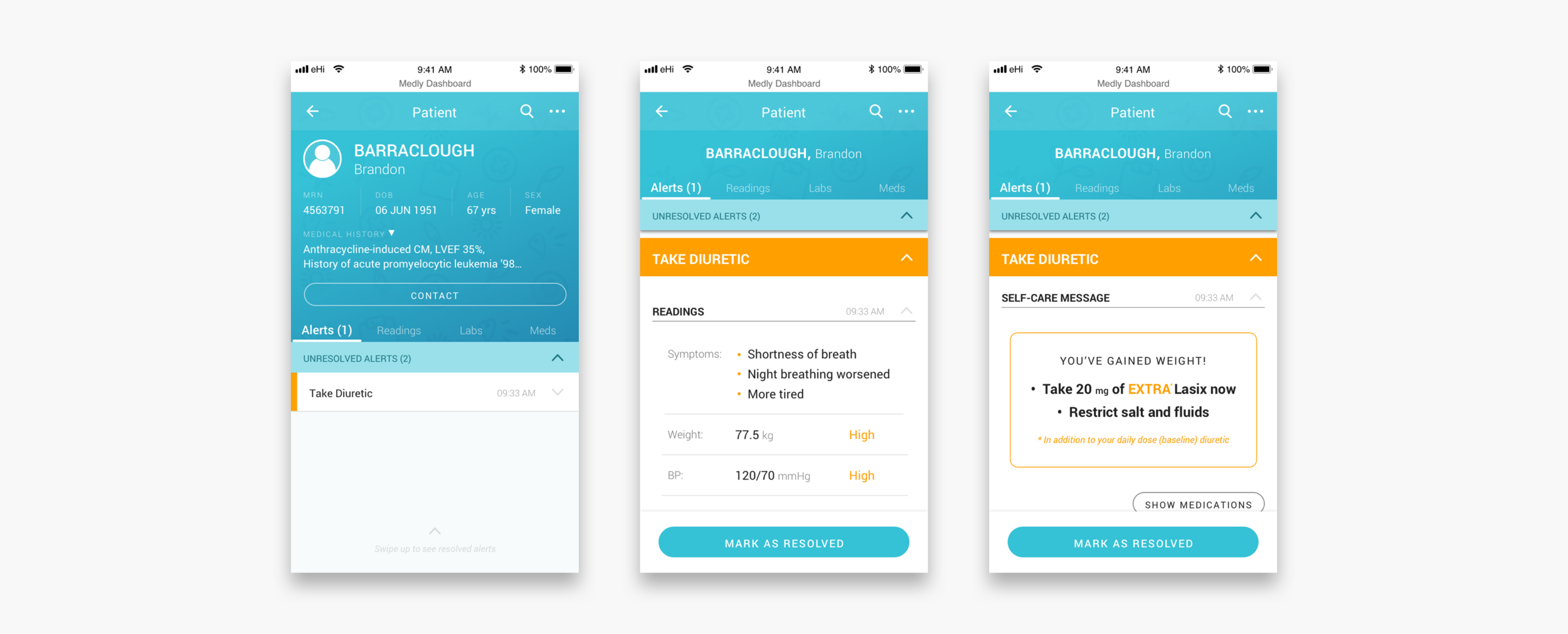
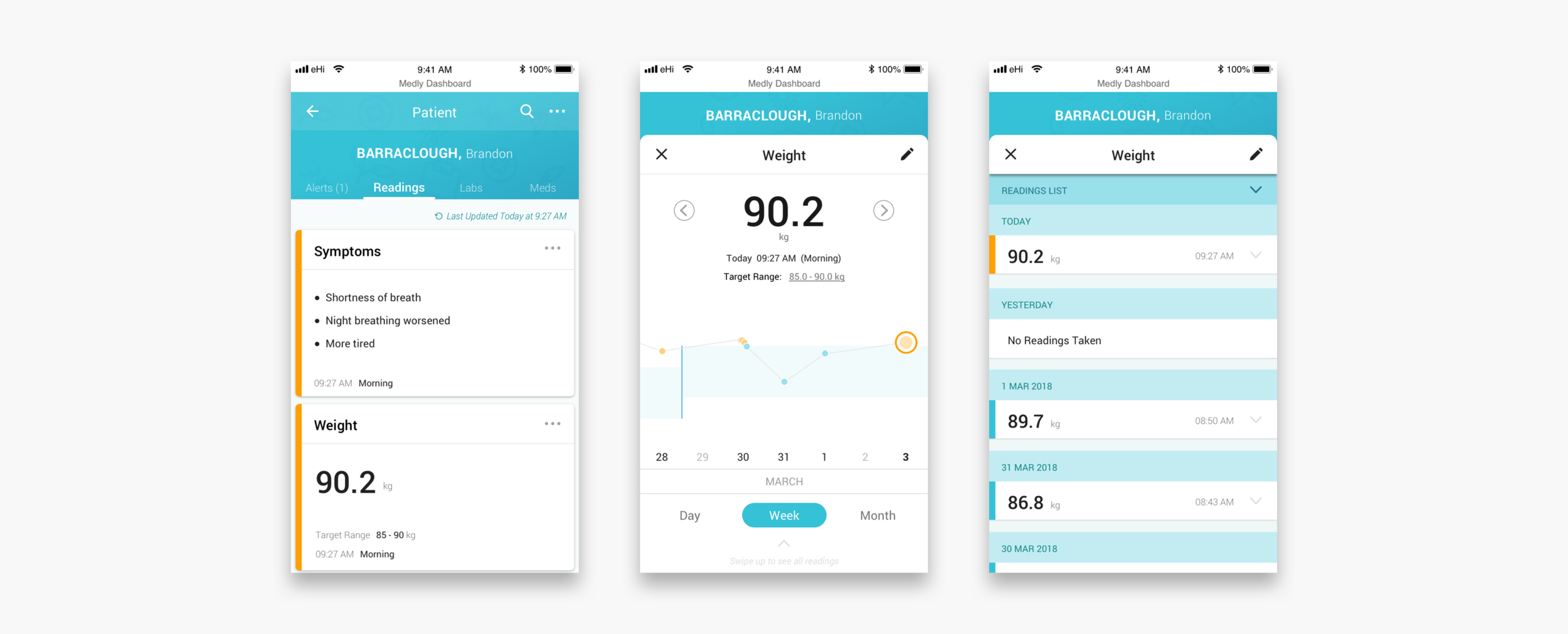
Dealing with a patient
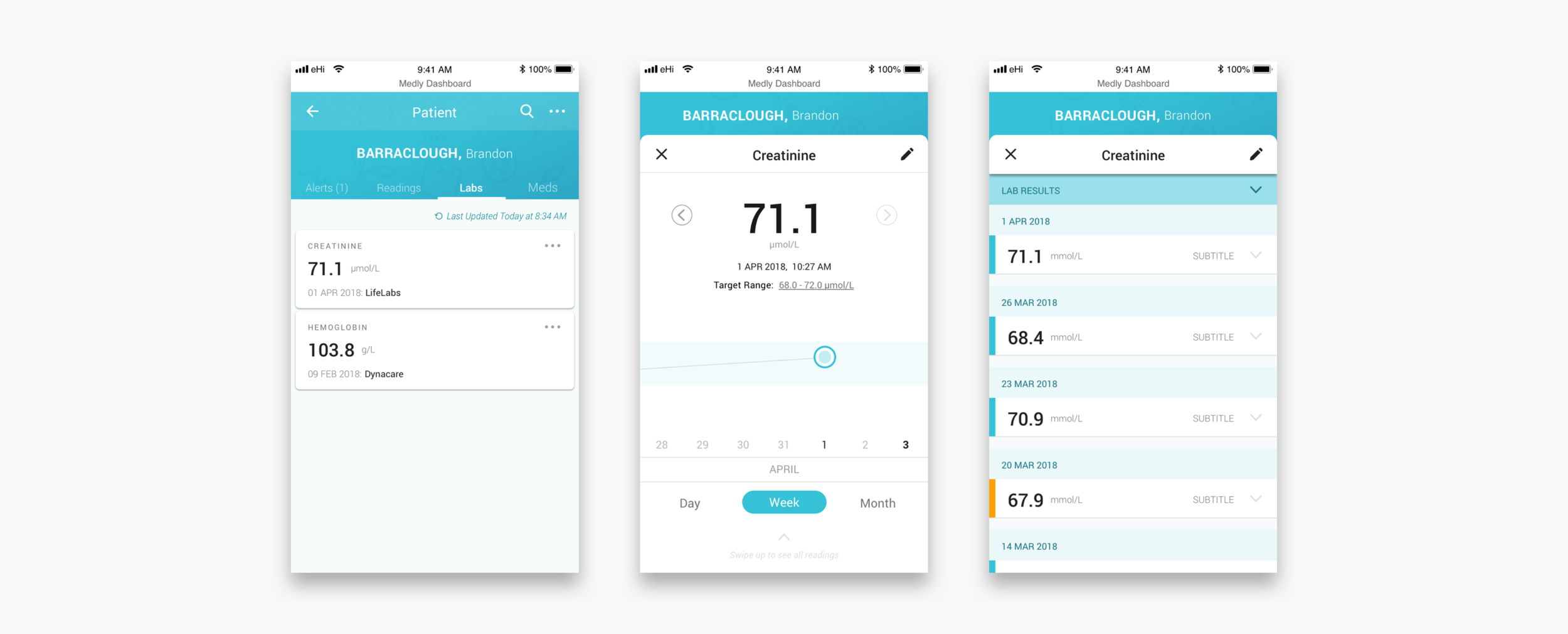
When a clinician clicks into the patient’s profile they can see all the patient’s medical information, historic data and settings. Unresolved and resolved alerts are shown with the corresponding readings that triggered the alert and the message displayed on the patient’s app. Readings and lab results are shown in the form of graphs and lists, so that clinicians can identify trends. The meds tab shows the settings for diuretic alerts (if applicable) and what other medications the patient is on.
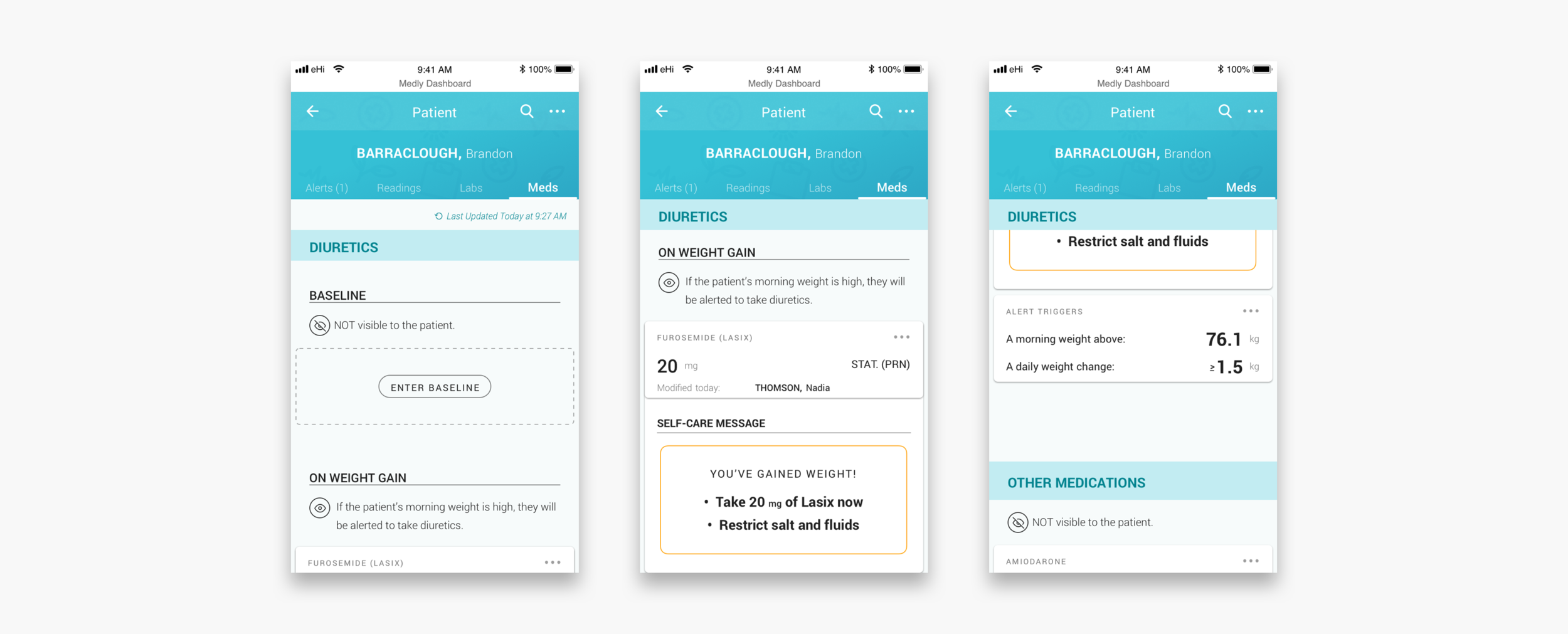
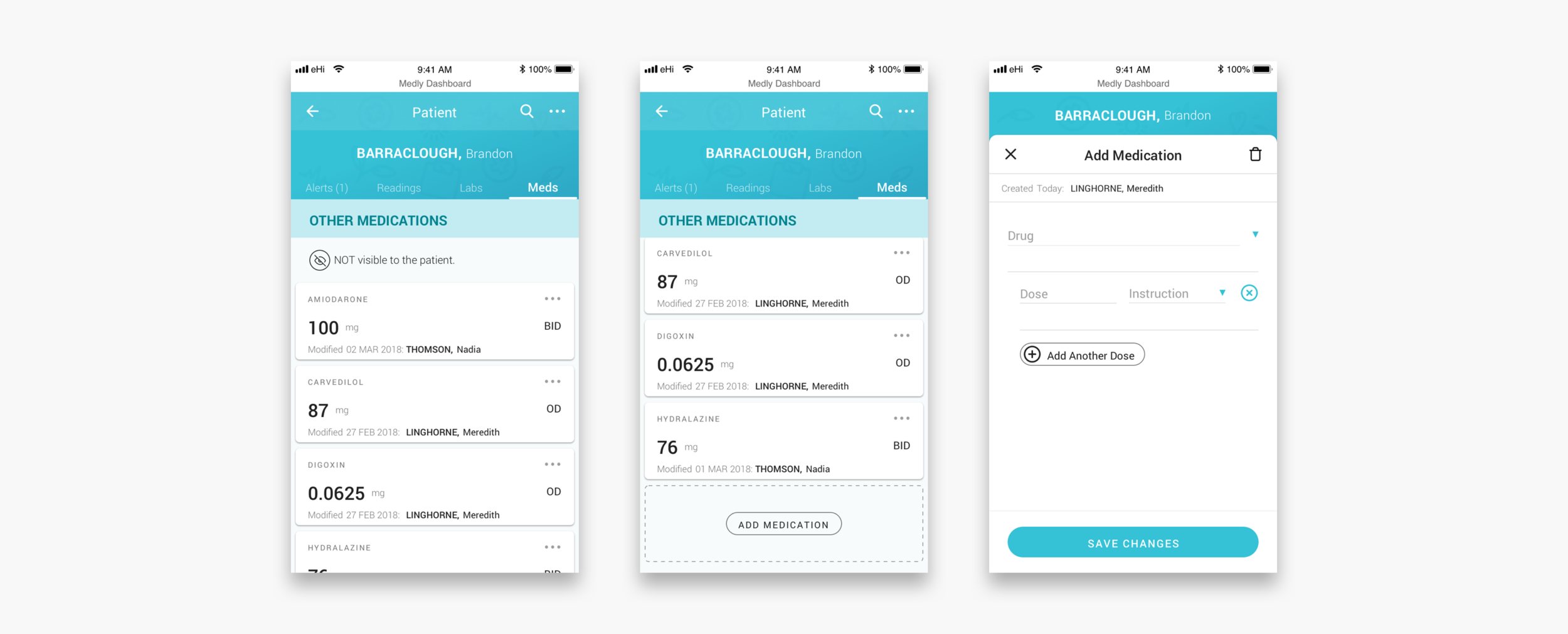
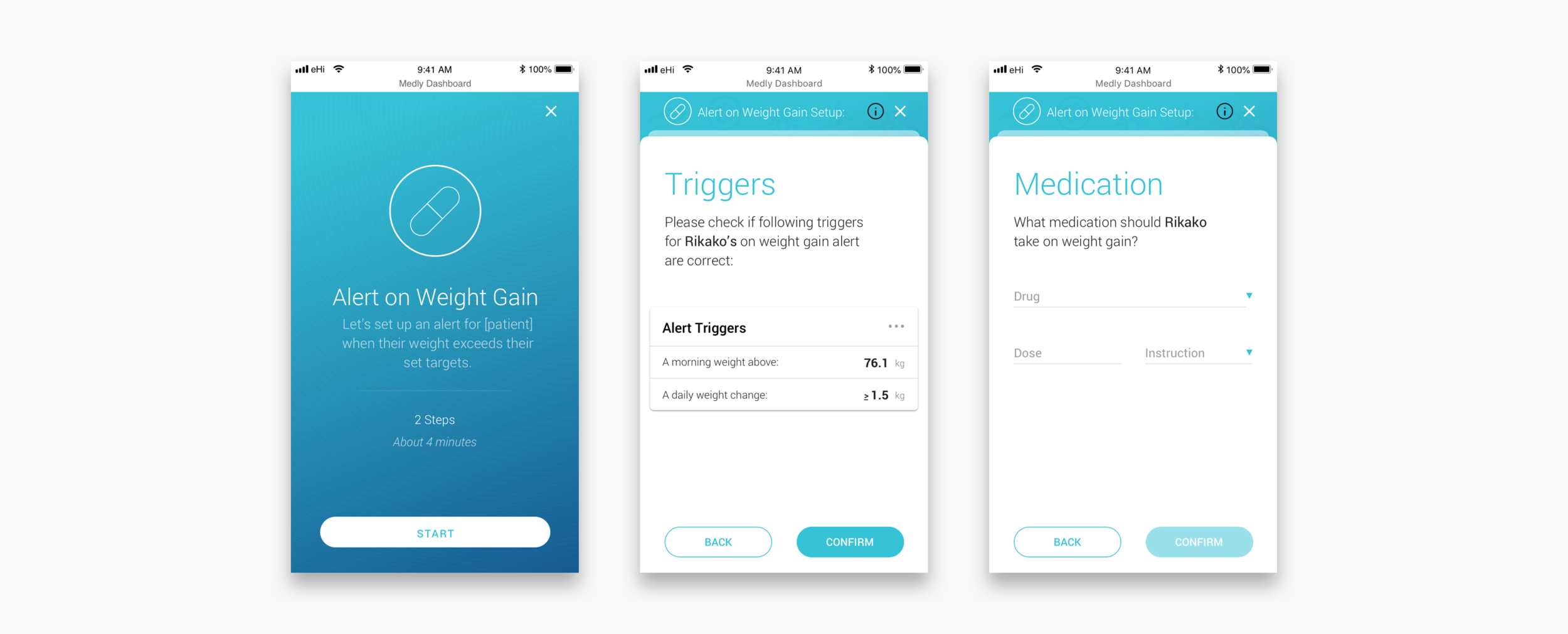
Adding a diuretic baseline and setting up alerts
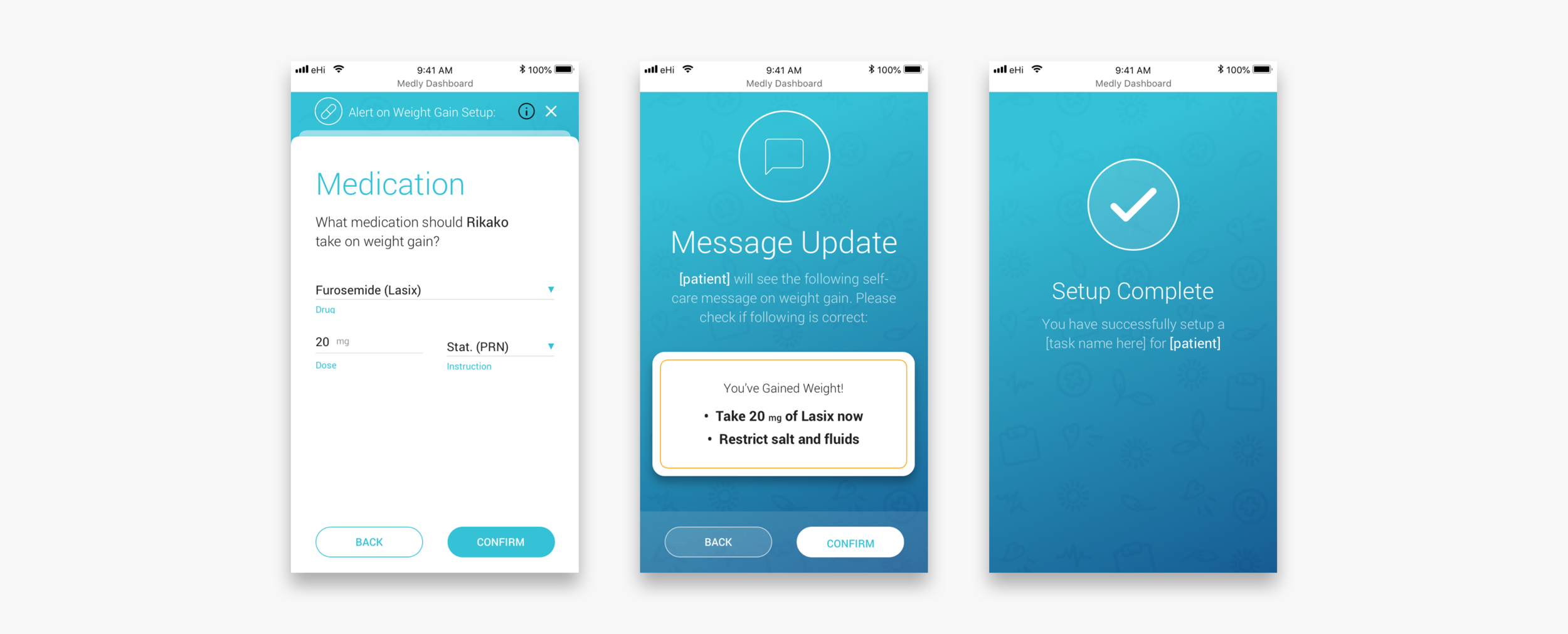
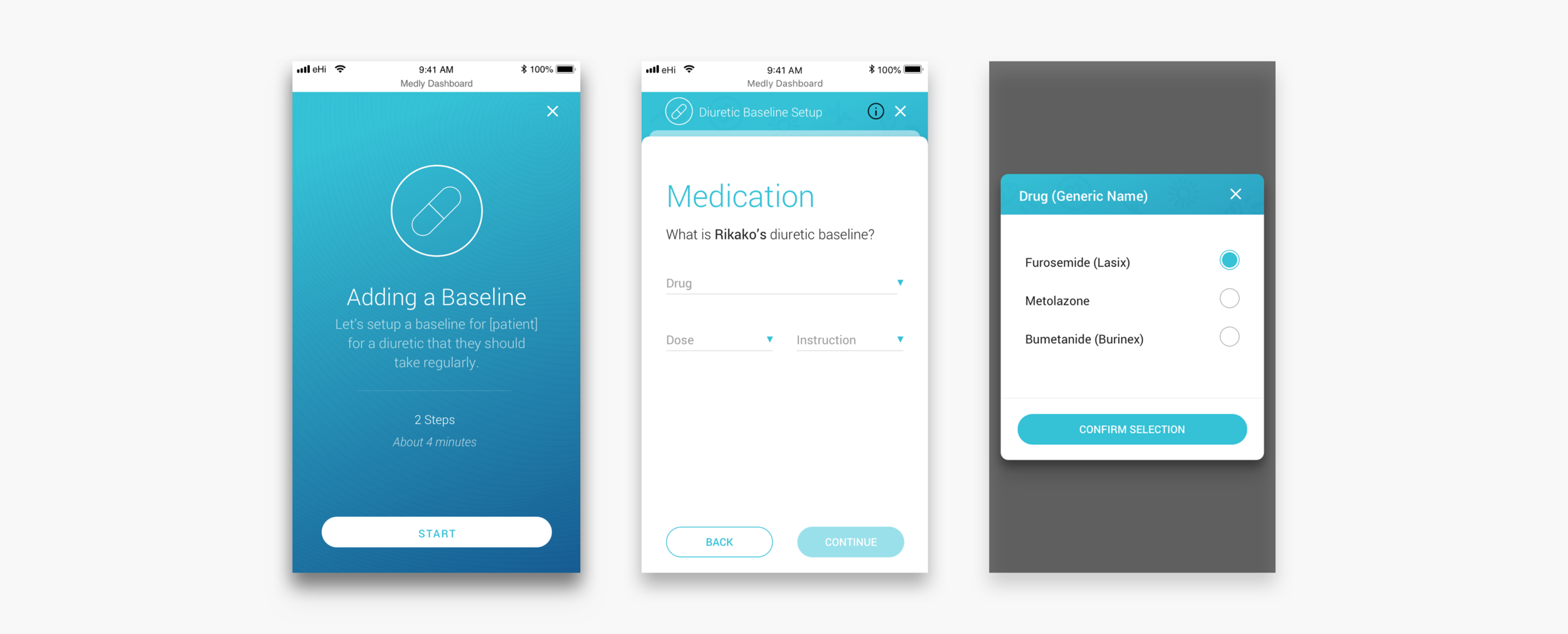
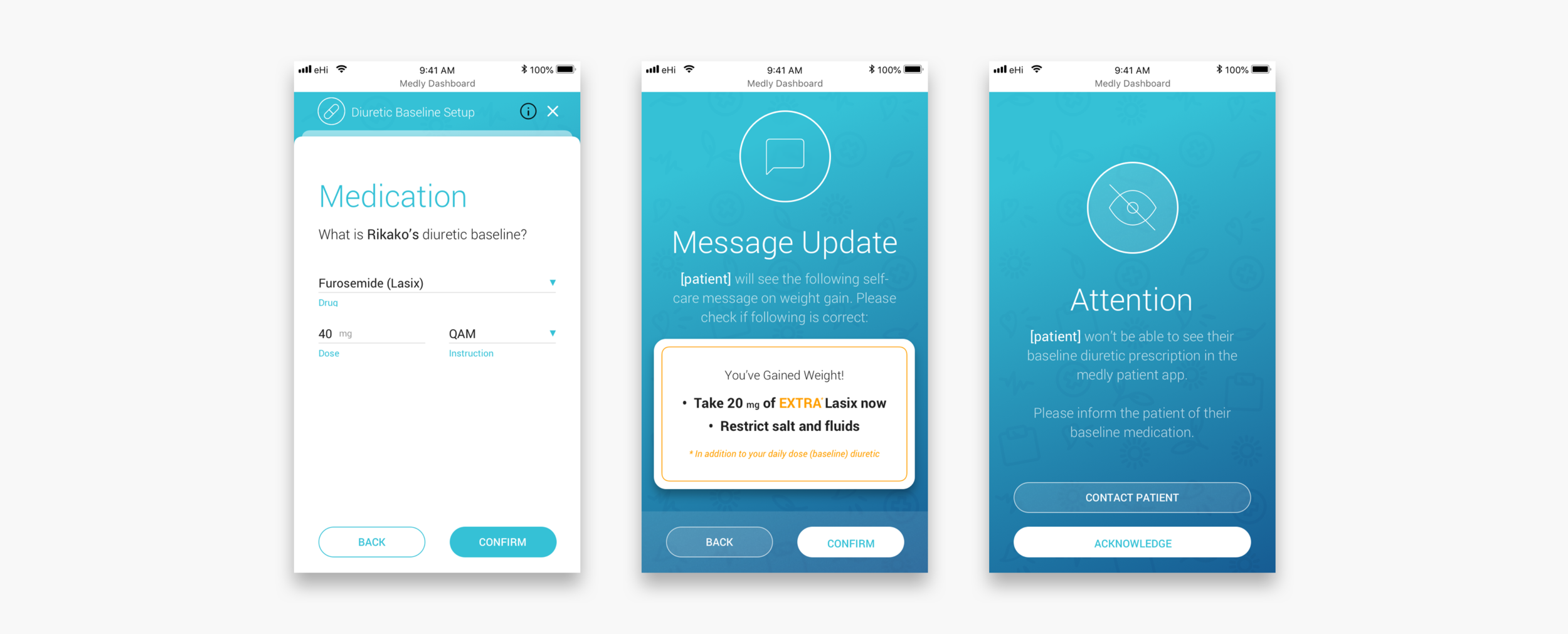
If a patient seems to have gained wait over night it is usually because their body is holding extra liquid. To get rid of this extra fluid, the patient often gets prescribed a diuretic. Some patients get prescribed a daily dose, others might only take diuretics on weight gain and some patients get prescribed both. In case of diuretics on weight gain, clinicians can set up an alerts. To make sure that the messaging to the patient is (still) correct, clinicians have to go through a wizard that guides them through the steps.
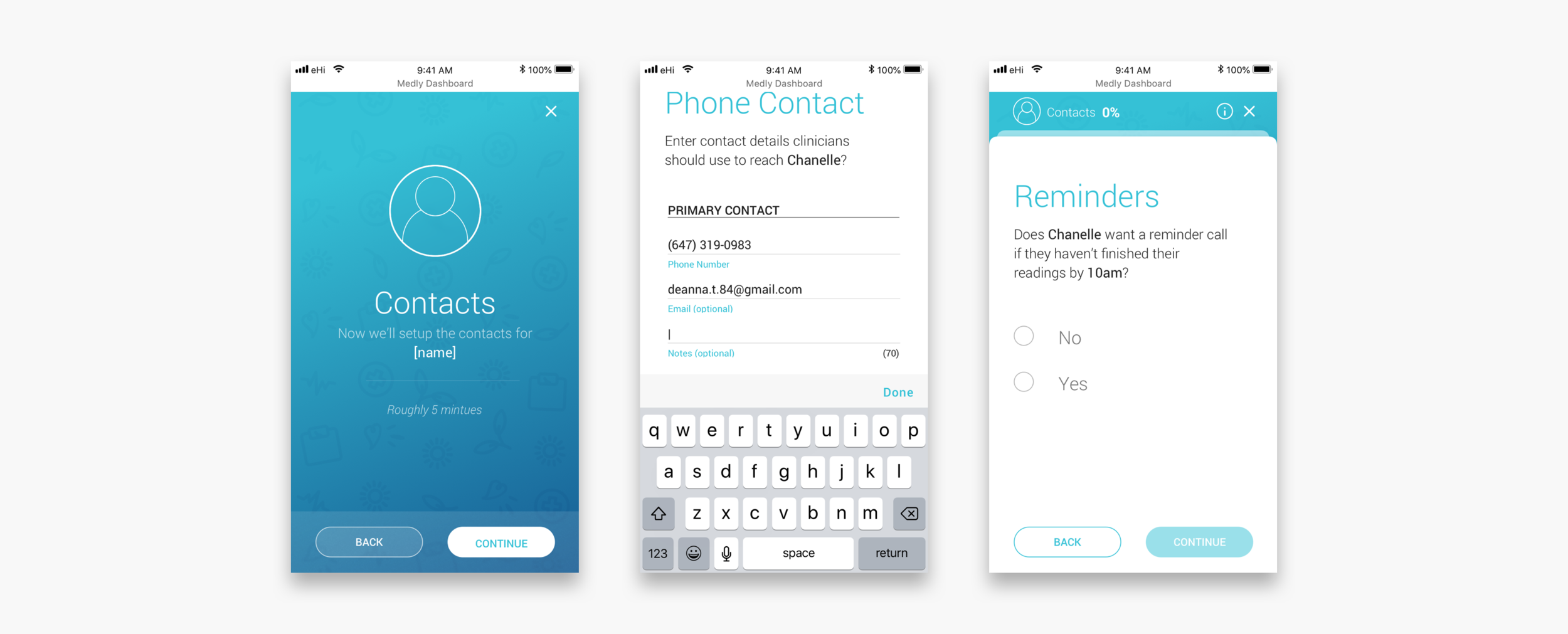
New patient flow
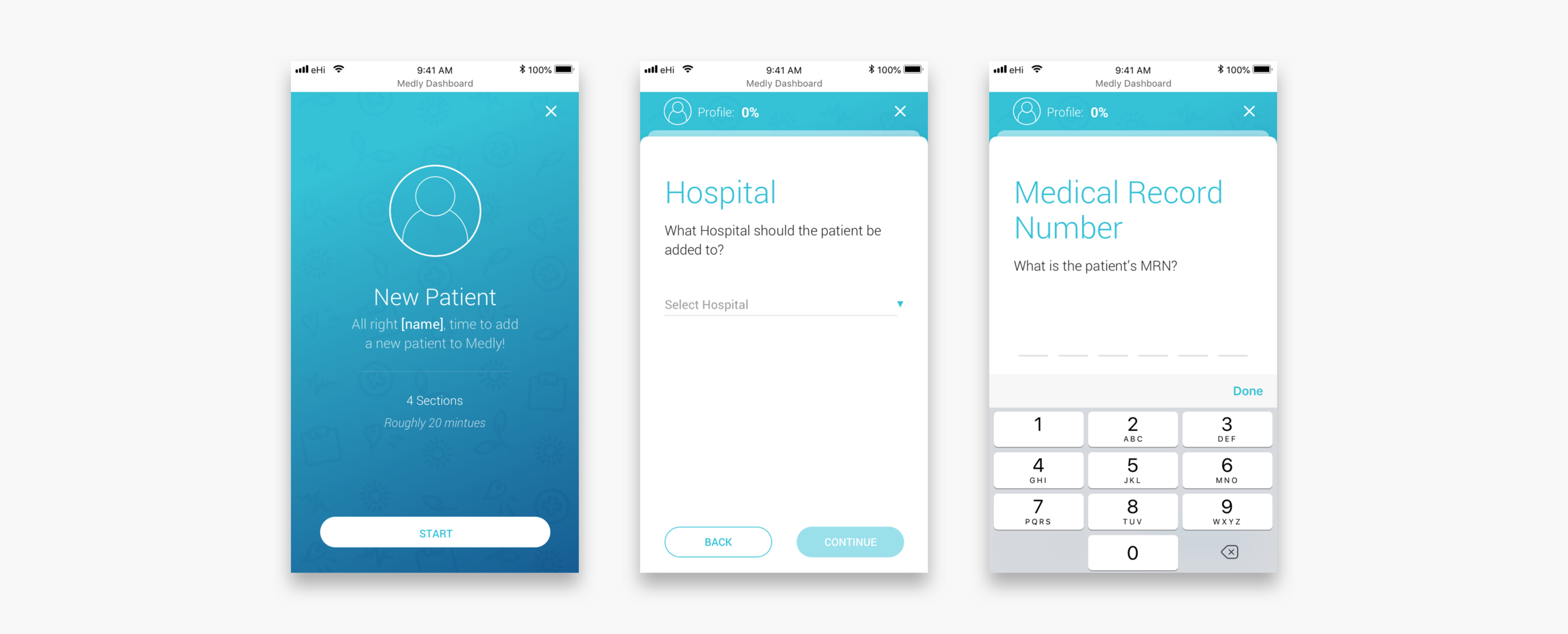
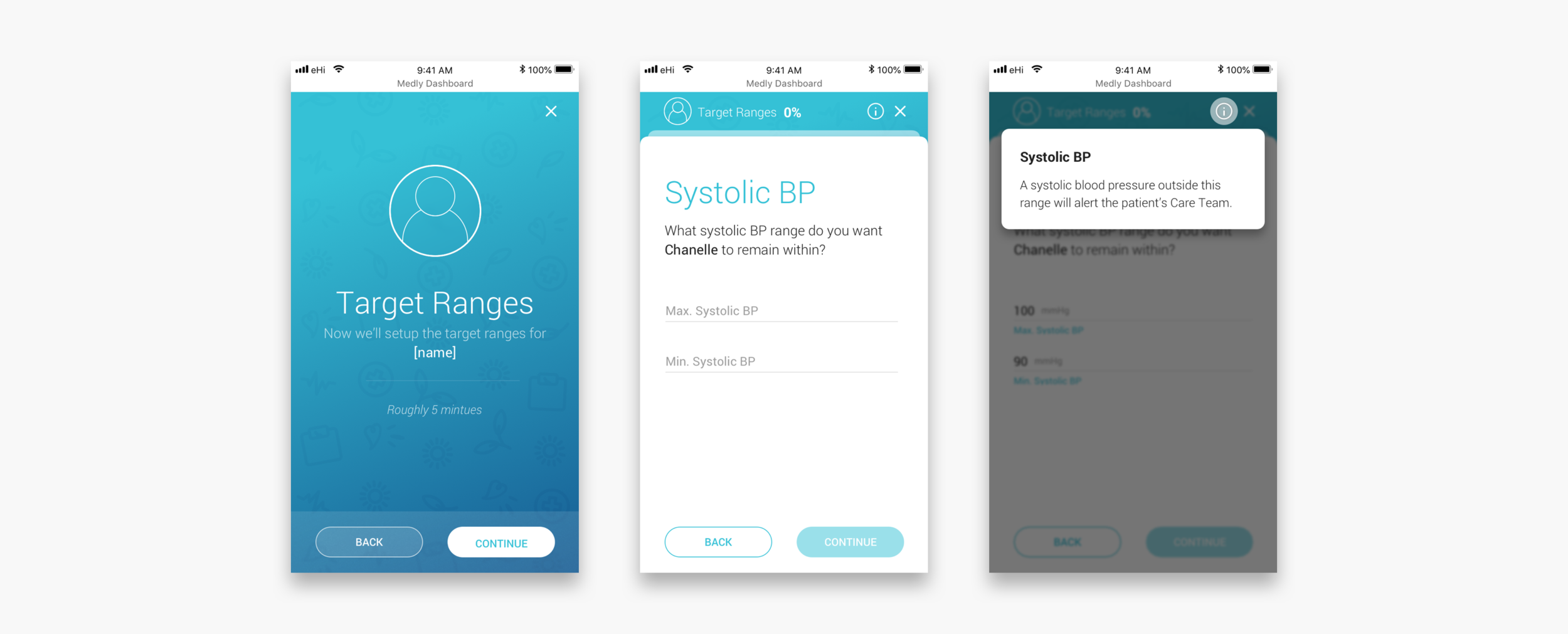
The new patient flow should replace the paper onboarding slip and make it easier, more direct and more accessible for other clinicians to onboard new patients. The flow guides clinicians through each step and makes them aware of what implications their actions may have. For more important sections a clinician can select a tooltip to see more instructions. Another major advantage is that all the sections on the dashboard get populated automatically, after completing the flow. It is not necessary anymore to go to each section, fill out the required information from the slip and risk that something might get overlooked.
Similar flows were implemented for creating new clinician profiles, setting up new care teams and adding new clinics. First time users also go through a flow to set up their account.
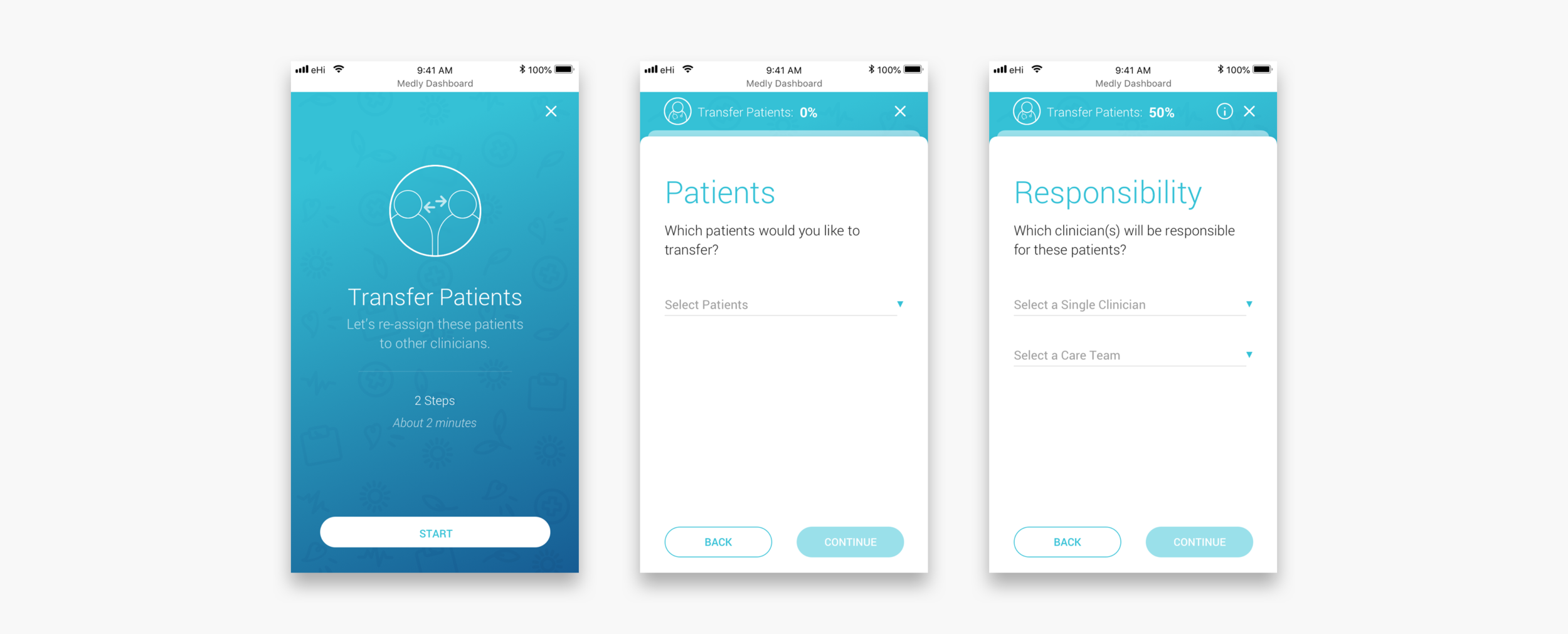
Transfer patients flow
The new dashboard was designed as a care team centred platform. Clinicians can be added to one or multiple care teams. These care teams get patients assigned to them. This is easier than having to assign multiple individual clinicians to each new patient. It also makes it much easier to transfer patients from one care team to another, if needed.
Medly Service (Results)
We worked closely with Medly’s OPS team and came up with a couple of impactful service level changes that help make Medly as a service more scalable. Some of these recommendation have already been developed and implemented. Other parts are still on the product-service backlog.
Patient facing website
Together with the Medly team we developed a patient facing website with onboarding support and frequently asked questions.
Improved patient manual
We redesigned the patient guidebook to better match the patient’s needs.
Nurse coordinator role
A new clinical role (Nurse Coordinator) should help improve the patient onboarding experience and the communication within care teams and between care teams and patients. The Medly support staff is still involved in technical assistance, but does not have the main responsibility anymore.
Instruction videos
The support staff and nurse coordinator will collaborate on creating onboarding videos for the website. This should make it possible to let patients do their own onboarding at home in the future.